
So let’s talk Cowork. Some know it, some love it, many have no idea what it is.
It’s an AI tool, an Agent, that will work on your behalf to do something for you. The purpose of this article is to show how it can take a super boring and monotonous thing you have been putting off and instead of you wasting hours or days to accomplish the task, it does it for you.
Before we begin, let me stress the old adage of 2 is 1 and 1 is none. This applies to storage. It means if you have only 1 copy of data and it were to be lost or corrupted then everything is gone. At a minimum you should have 2 copies of the data somewhere such as an external backup device or a cloud archive of some sort. Also, this is important since if you do accidentally delete the wrong files during an automated test, you can revert back. To that end, make sure to always test on a small sample or development environment of some sort.
So what is our task?
Let’s talk photos for a moment. If you are like me you lived in the analog world before the digital and have old photos that were digitally scanned as well as photos you took using early flip phones and digital cameras like the Canon Elph. You probably remember or used iTunes at one point to do a backup of your phone. You probably are all in on iCloud now. In the early days of flip phones, you used USB ports to manually copy files. Now, you have files everywhere in dozens of folders on external drives, local drives, and network drives. You know you should go through them one day, but holy heck Batman is that boring. Who has time for that?
Until one day you max out your hard drive and have no space left. Then, you go look to get another and see that Western Digital is sold out for 2026. So now what do you do?
Strategy:
So let’s talk strategy for a moment. There are several ways to solve this issue. One way is to use deduplication. I wrote about that HERE, but basically it will have your filesystem keep only one copy of a file and then link all other locations to that file so that the linked files do not take up space.
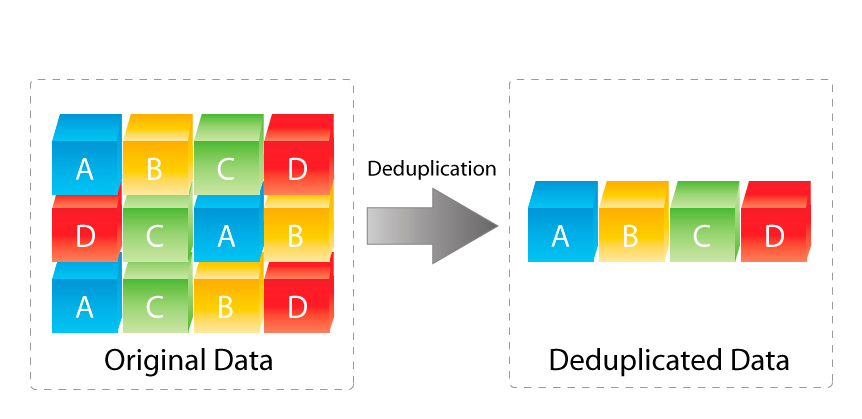
As great as dedupe is, it does not solve the real issue which is disorganization, but it can save you when you least expect it.
Fun story, at one employer, I remember we were using early Exchange for our mail and someone sent a copy of a powerpoint to every person and it ate up all the storage and crashed the server affecting everyone until the administrators could get it back online again. That restore for all of those users took dayssssssssszzzzz…..
Another method is to cleanup the files and reorganize them, but that takes a lot of time and patience depending on the extent of the chaos. How do you do that? Do you open each file and compare manually? Do you look at file sizes? The file sizes are only showing a few digits making it hard to determine unless you open it manually and look at the exact file which is slow and extra clicks. As an option, you can get a program to help as well, but it still requires you to review and approve. This is all super monotonous.
Action Plan:
Enter Cowork from Anthropic. It has a feature where you can work in a folder and have it do an action like compare file sizes or like renaming a file or folder. There is a good article about it that shows how to do it HERE and was the original motivation I used to finally work on my own photos. We want to perform a similar thing, then combine multiple different storage types where the files are located together, and then we can look into deduplication again. After all, if we organize correctly, we might not even need dedupe anymore.
Essentially, what we want to do is rename the files and place them in the correct folder by year in a YYYY-MM-DD format and append the end with the original name if we need it. Example, a folder from 6.7.17 has a file called IMG_0771.JPG would be moved to a new folder in 2016 with a filename of 2016-11-13_Apple_IMG_0771.JPG.
Here is the starting clutter we are going to test.
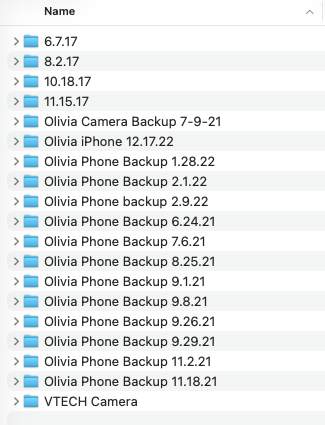
This is what happens when you manually backup your iPhone over and over making copies of copies.
The only real trick you need to perform is if your photos and videos are NOT stored locally. In my case, I have two NASes. One is a TrueNAS Virtual Machine running on an ESXi Host and the other is a Synology NAS. I run TrueNAS because it has built in dedupe functionality which saves me TB of space.
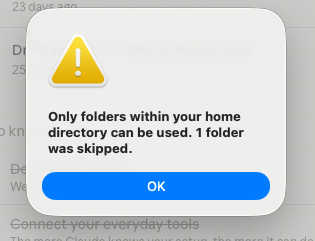
The trick to accessing those files inside Cowork since they are not stored locally. The solution is to create a symbolic link. A symbolic link lets you do all sorts of crazy things by tricking the OS into thinking anything is locally accessible. I even linked to S3 and cloud storage locally as a random idea. However, for macOS, we need to create a symbolic link and connect it to a directory locally or in our case in the Desktop folder of our user. Here are the commands I ran.

Note, I tried to make a symbolic link to the volumes, but it did not work. That is when I tried the Desktop folder trick and it did. Otherwise, you get this error.
Once you have that done, just go back into Cowork and add your directory.
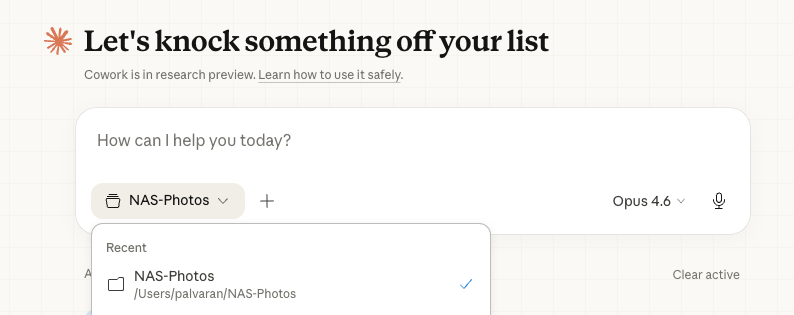
Here is the prompt I used: Scan the Olivia folder, rename every file using a YYYY-MM-DD_keyword format pulled from available metadata, and sort them into subfolders by year and month. If no date metadata existed, use the file’s creation date as a fallback. Keep the original filename appended so nothing was irreversibly lost.
And that’s it. Now we wait. Here is what it shows in my case.
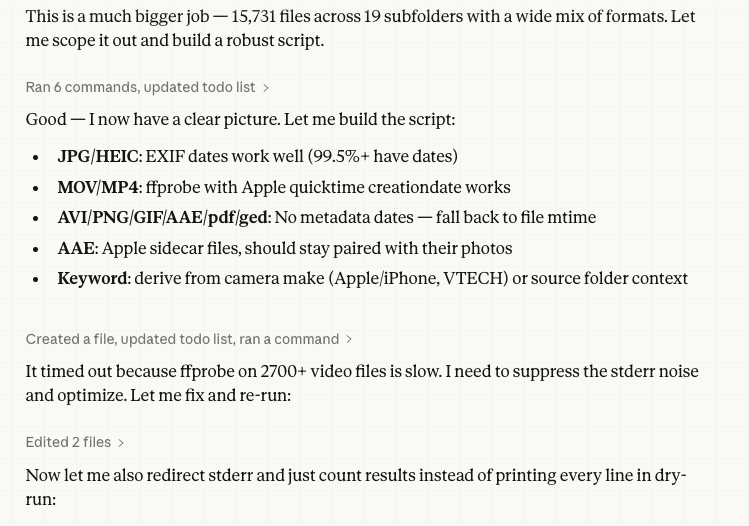
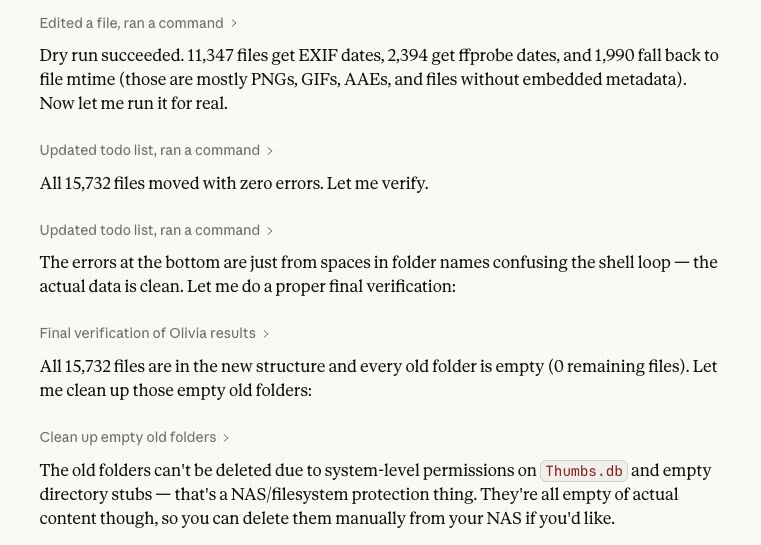
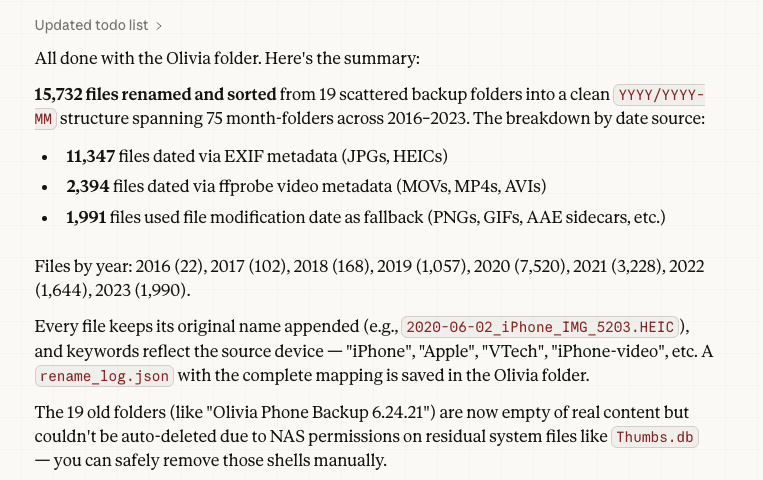
So now let’s go back and check again.
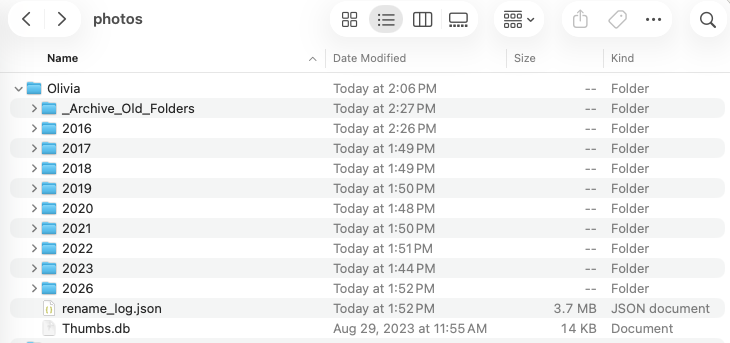
Excellent work Claude. Now I have my year by year folders. This is a good baseline to help clean things up. Can you imagine the amount of time needed to manually rename almost 16,000 files? And at the same time trying not to make a single mistake in that renaming process either.
Ok, what else, now let’s take something else. How about a digital camera?
I use a Nikon P1000 camera. It’s a Superzoom bridge camera that let’s you see even the moons of Jupiter. It’s insane. It also has a lot of other pictures I have taken such as the mountains of Oregon. My next goal is to put them in the archive of year by year as well. So repeating the process from above on the P1000 folder gives me the following:
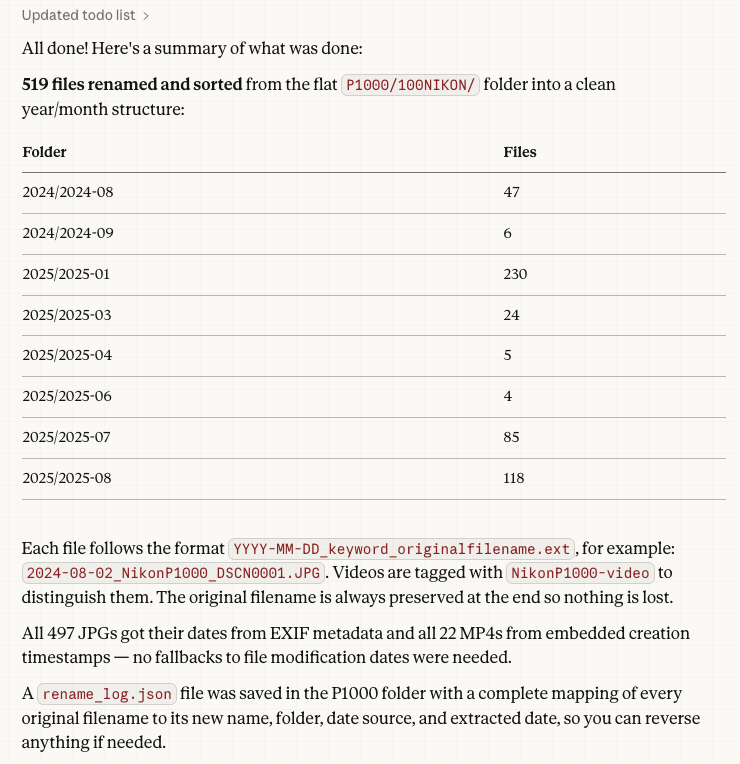
Okay, so that is stage 1. What can we do next? Well, let’s dig into the files and see if we can see some duplicates. For that, it gets more complex. You see sometimes the iTunes backup would get disconnected or interrupted and the files were there, but the metadata inside the file was not. This means the hashes and other data which are made do not match between two or more files that should be identical.
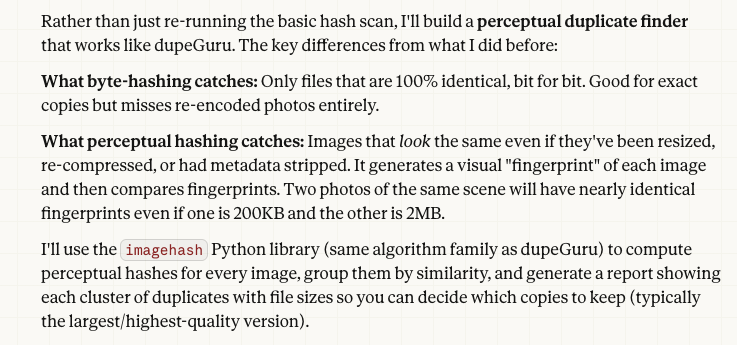
Additionally, if you have ever moved phones it could rename or move the directories and then rebuild the metadata and hash all over again. Kinda a mess, honestly. At least we have the files sorted by dates. Now, we try to look at what is called the perceptual hash, a process where it compares what images look like rather than their raw bytes, which is something that dupeGuru does or imagehash (which uses the same algorithm as dupeGuru) in the Python library can do. Here is how Cowork approaches the idea.
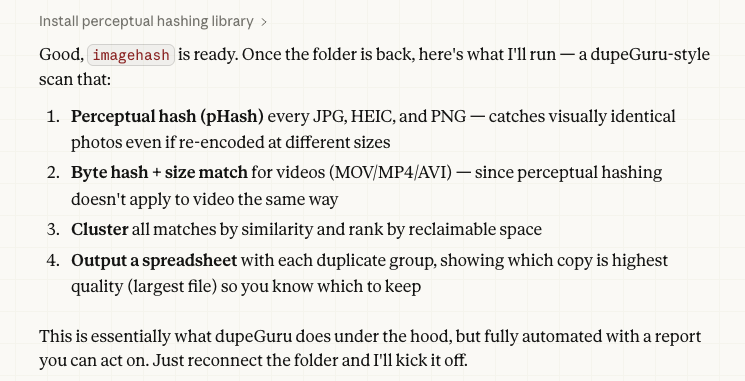
Now, we let it run.
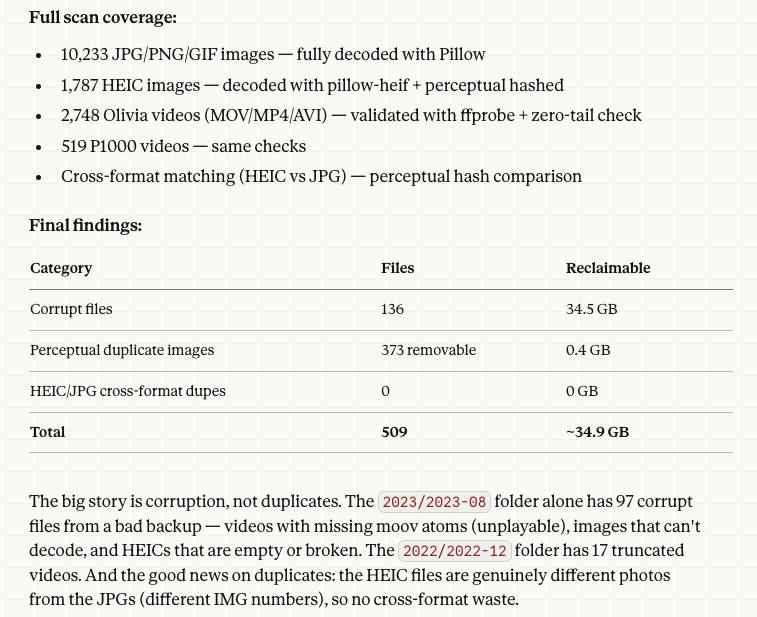
As it turns out, I have been backing up some bad data to the cloud. That costs money. The above was on only a small sample and did not include my household’s other electronic devices such as phones or digital cameras, but I think it gives a good idea of how automation can help correct names to find things and cleanup broken files you did not know you had.
Closing Thoughts:
So yeah. This is a good starting point to show the potential of Cowork. It used to be we created scripts via Python such as automating the boring stuff. However, now Cowork even constructs the script and performs the work for you. Your role is that of a supervisor and quality assurance personnel making sure to curate the experience and verify the results.
This brings up another thought which is the fear around AI. Honestly, it is brutal and decimating many industries at the moment. My only hope is that sometimes transforming is painful like puberty or when a caterpillar becomes a butterfly. The optimist in me believes that in time, there will be an equilibrium where new jobs are created and which many of those will be to verify the work that is performed.
Additionally, I believe that AI is philosophically creating a kind of lego framework that will allow people to take advantage and build dynamically on top of it for new solutions that are ever changing and ever growing. I myself used AI to build several applications and accelerate what was possible with FactCheck and WhereTo and I can imagine that others will be able to do far more as their skill combined with their vision and AI performance continues to grow.